

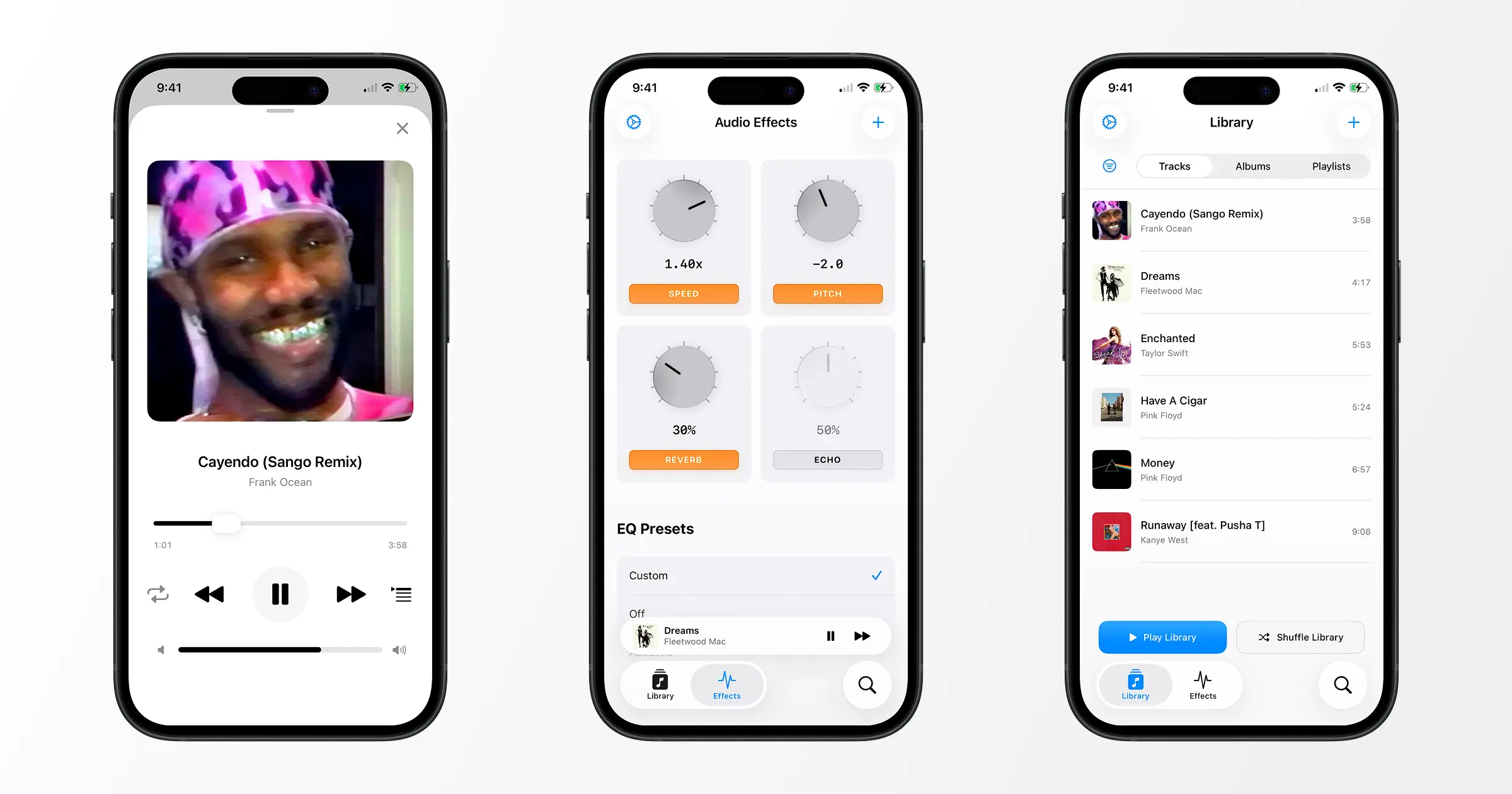
MusicFX is a local music player with real‑time effects. Bring your music library and rediscover your favorite songs with effects like pitch, reverb, speed, and more.
Highlights
- Offline Playback - Play your music without an internet connection
- Real-time Audio Effects - Apply high quality audio effects as you listen
- Import Your Music - Use your own audio files from any source
- Privacy First - All music stays on your device, no data collection
- Customizable Library - Organize and manage your personal music collection
FAQ
Can I use MusicFX with a streaming service? (Spotify, Apple Music, etc)
No. MusicFX is a local only audio player.
How do I add songs to the library?
You must have your own audio files to use MusicFX. To
import your files, follow these steps:
- Open the MusicFX app on your device.
Tap the + button in the top right and select “Import Tracks”.
Navigate to the folder where your audio files are stored and select the ones you want to import.
How do I obtain audio files?
It’s common nowadays for people to download them from the Internet or join music‑sharing communities like soulseek.
I advise using legal methods like ripping a CD you own or purchasing the music digitally (Bandcamp, Qobuz).
Does MusicFX affect device performance?
It can, especially when multiple effects are active at once, since
each effect adds real‑time processing load. However, modern Apple
devices handle this efficiently.
What is MusicFX Pro?
MusicFX Pro is a one‑time (no subscription) purchase for 9.99 USD
that unlocks unlimited tracks in your library and a custom EQ.
Support
If you are having trouble, a list of troubleshooting steps to take:
- Force close the MusicFX app and reopen it.
- Ensure you are using the latest version of MusicFX.
- Restart your device.
- Delete MusicFX and reinstall it. Warning: this will delete your library and settings.
Email me at trevortylerlee@gmail.com for additional support or to provide feedback. If you don’t hear back within 48 hours, please check your spam folder.
Privacy Policy
Last updated: October 21 2025
MusicFX does not collect, store, or share any personal data. All music files and playback history remain on your device. The app does not use analytics, tracking, or cloud storage. Purchases are handled securely by Apple’s App Store.
Terms of Service
Last updated: January 12 2026
MusicFX is provided “as is” without warranty. You are responsible for any music files you import. Purchases are final and managed by Apple under their refund policies.